AI-powered takeoffs from residential PDF plans.



Send accurate materials schedules in four steps — powered by our AI models.
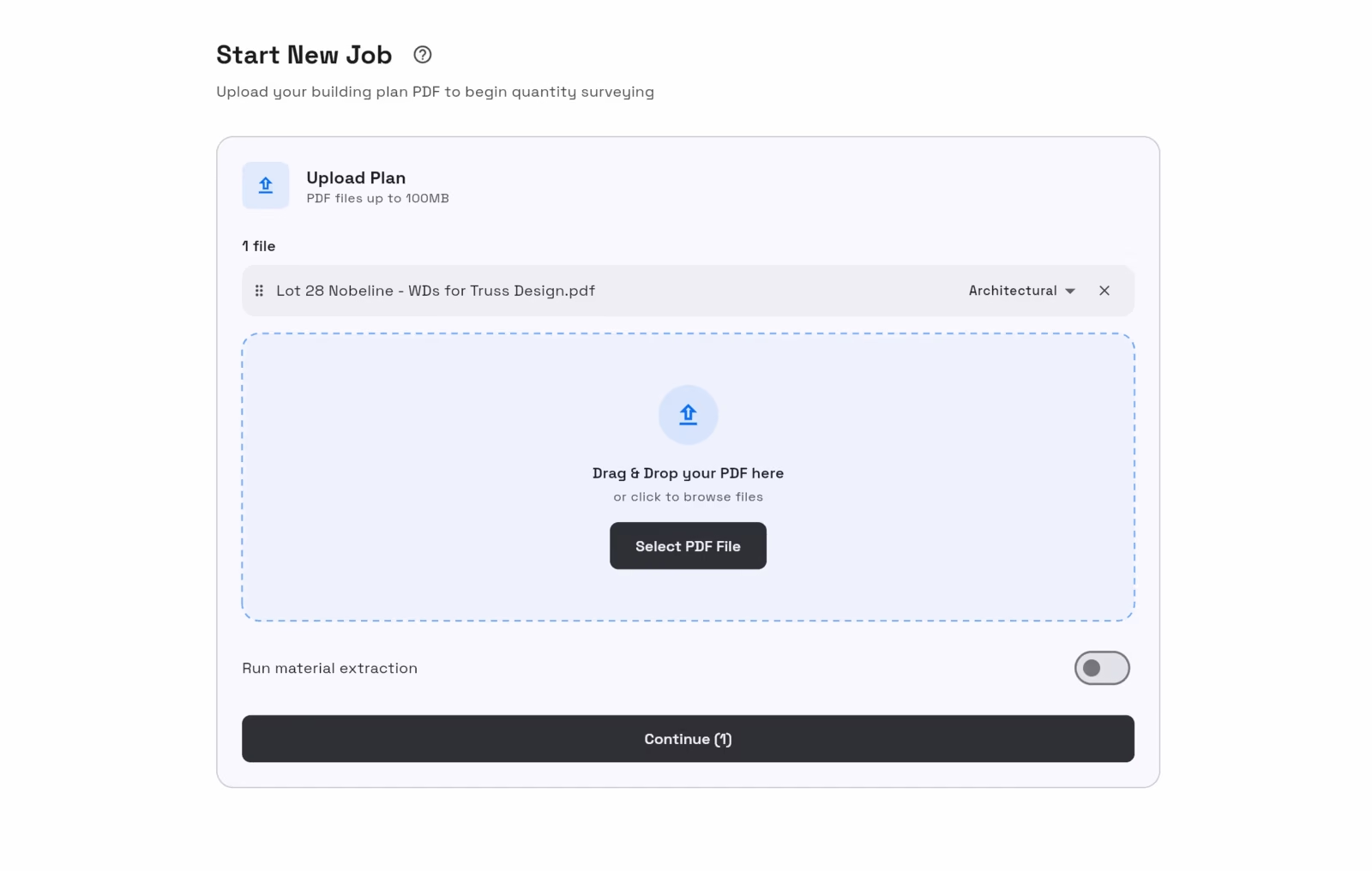
Drop in the architectural plan set as a PDF. TakeoffQS calibrates the scale, sorts the floor plans, elevations and sections.
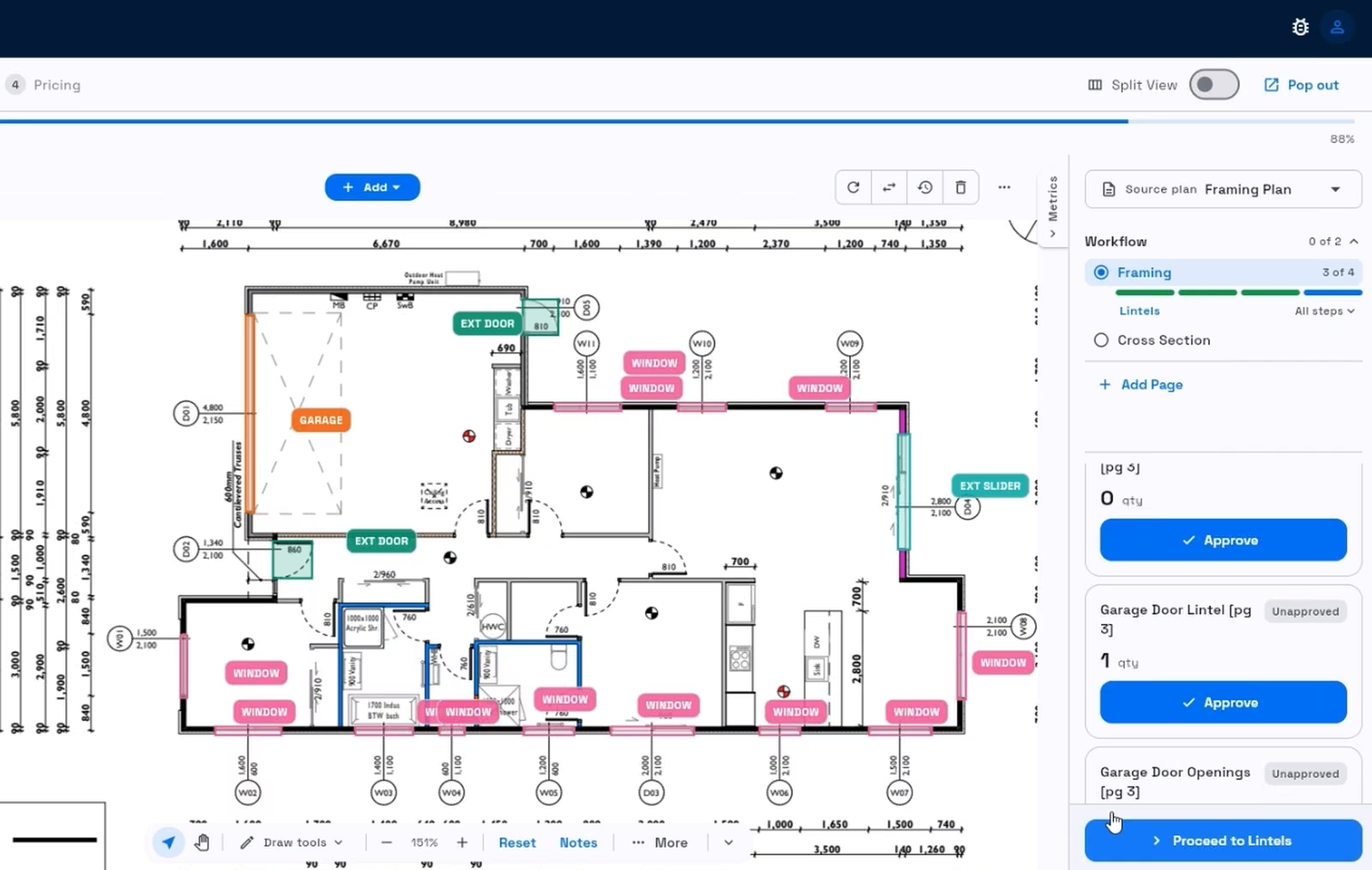
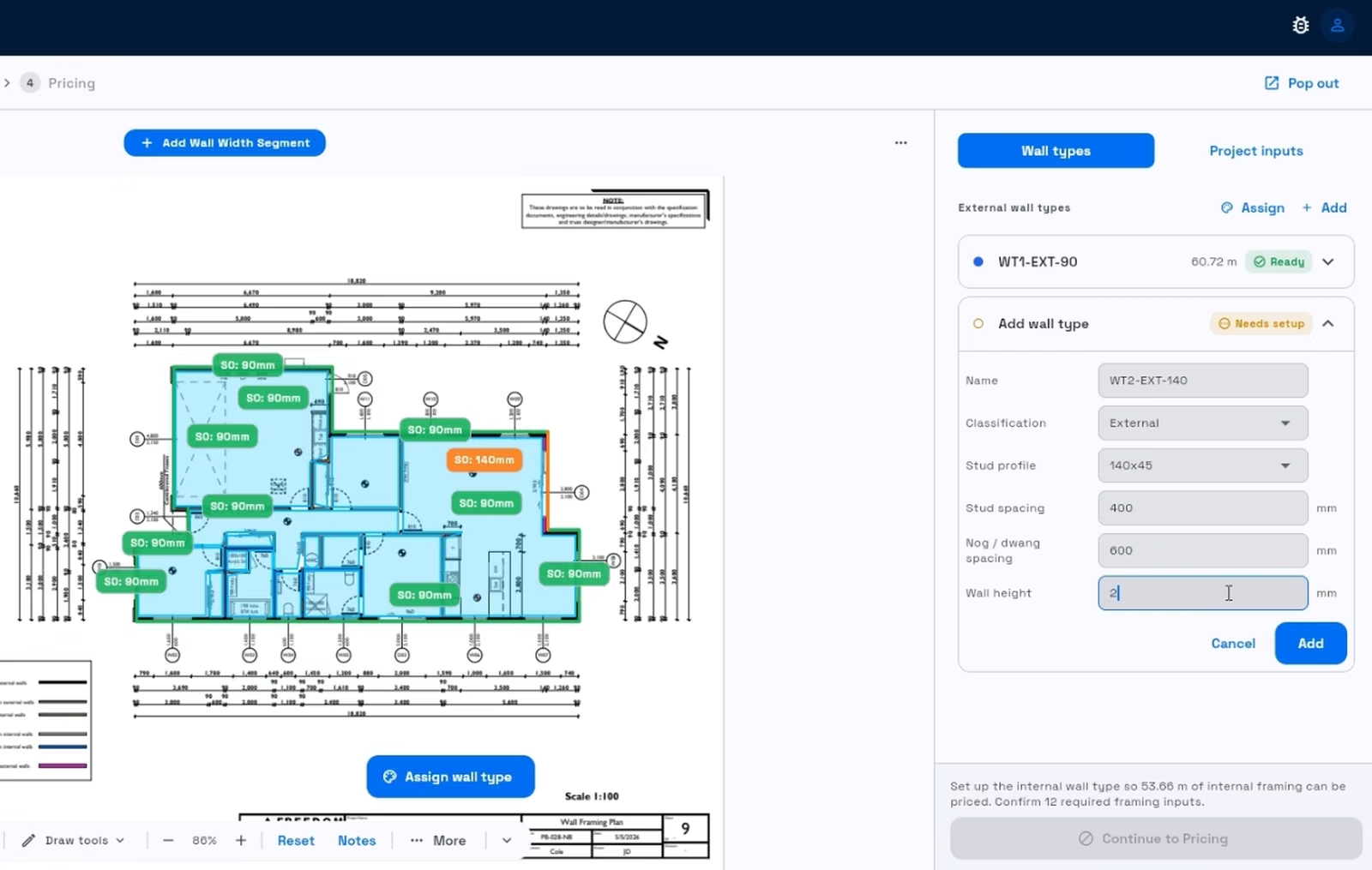
Walls come up measured and split the way a frame is built — external and internal, grouped by height, with every opening captured for lintels. You verify the scale and the detections and approve.
Enter stud and nog centres, stud profiles, wall heights, truss and rafter spacings — you fill these from your plan's framing notes.
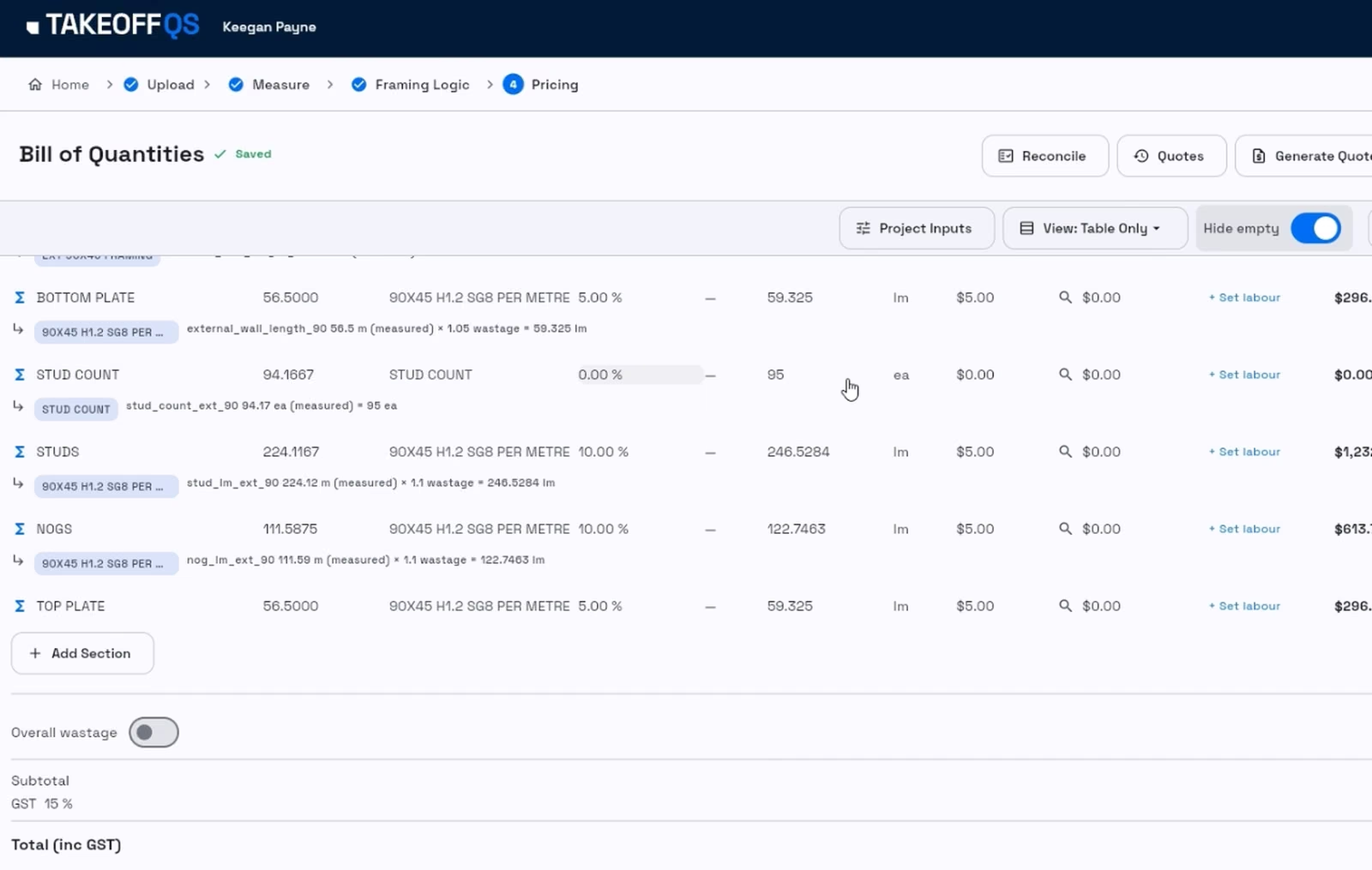
Priced against your own pricebook and supplier lists. Export the BoQ, the materials schedule, or generate the quote.
New
We also run estimating as a service. Send us the plans, get a measured schedule back in your SKUs in five working days. We're onboarding a limited number of merchants now.
See the estimating serviceTakeoffQS evolves as we train it on more building plans. Performance will continue to improve and we'll expand coverage across more trades.
Quantity surveyors are slowed down by manual measuring — and the pressure is growing. Fewer people are training as QSs, and builders go to whoever is fastest with the best price. We built the fix right here in New Zealand. TakeoffQS combines decades of building experience with the latest AI technology to speed up the process industry-wide — find out more.
Questions about set up? Read how we work
Clear digital NZ residential building PDF plans.
TakeoffQS calibrates every page automatically from the known measurements on your drawings, then puts each one in front of you to verify and approve. If you'd rather set it yourself, you can calibrate any page against a dimension you choose.
Yes — book a demo and we'll walk you through it. If you'd like to see it on your own work, send us one of your plans and we'll run the demo on that.
Our help centre is at help.takeoffqs.com — it covers getting started, templates, price books, account setup and exports, step by step. It is open to everyone, no login needed, and we keep it current as the product changes. Customers also get live training from our team during implementation.
Material suppliers and merchant estimating desks, frame and truss plants, group home builders, residential builders, independent trades and quantity surveyors across New Zealand and Australia. If someone on your team measures plans to price a job, TakeoffQS is built for that work.
No. TakeoffQS runs directly in your web browser (Chrome, Safari, Microsoft Edge etc.) on a laptop or desktop, so there is nothing to install.
The system currently covers pre-nail, balance of house, painting, and roofing (all live). Foundation, concept drawings, aluminium joinery and internal doors, and electrical are coming Q3 2026. Plumbing is coming Q4 2026.
Most takeoffs are ready in a few minutes. You review and verify the results, tweak if necessary, finalise the bill of materials and export.
Priced material schedules and measurement data export to Excel, CSV, or PDF. You can also export a separate clarifications sheet to send alongside your quote.
Yes. Import your price book from CSV, Excel, or PDF — TakeoffQS reads your supplier pricing and automatically detects columns like SKU and item code, so measurements land on your own item numbers with no re-keying. You can also set up your own Excel export template so quotes come out in your format.
TakeoffQS uses AI computer vision models trained on NZ building plans. A human verification step ensures the output is checked before confirmation. In typical use, the system achieves a very small error margin — however, you should always review the measurements and adjust any lines or counts if required.
Yes. TakeoffQS is an intelligent assistant — it detects and counts automatically, but you should verify the scale and ensure the lines and counts are correct before exporting.
TakeoffQS accepts clear digital PDF drawings up to 100MB in size. It processes multi-page PDF sets including multi-dwelling plans, but very large files may take longer.
No. TakeoffQS reduces manual measuring and drafting, but it does not replace the expertise of a professional estimator or quantity surveyor.
Pricing is a monthly subscription per organisation, with an allowance of plans included each month. Any plans you run over that allowance are charged per plan.
Get in touch for a demo and a conversation about what you need. We can also set your organisation up with a pilot, so you can trial TakeoffQS on your own work first. We'll then put together a proposal built around your business, including the right monthly plan allowance. Fill out the contact form or email us at support@takeoffqs.com.
We offer tailored solutions for builders, merchants, and suppliers who process a high number of plans. Contact support@takeoffqs.com to discuss, or call Keegan Payne, our senior sales consultant, on +64 27 463 0680.
Yes. Your files are encrypted in transit and at rest. We do not sell your personal contact information. If you require strict data-residency in Australia or New Zealand, contact support@takeoffqs.com.
Start with the help centre at help.takeoffqs.com, which covers every part of the product and is open to everyone without a login. If it does not answer your question, email support@takeoffqs.com during New Zealand business hours. The team aims to reply on the same day.
Reach out to discuss, have a chat, or find out more.
Thanks — we'll be in touch.
Someone from the team will reply during NZ business hours.